By Daniel, ITS4UK · Updated 19 November 2026 · 12-minute read
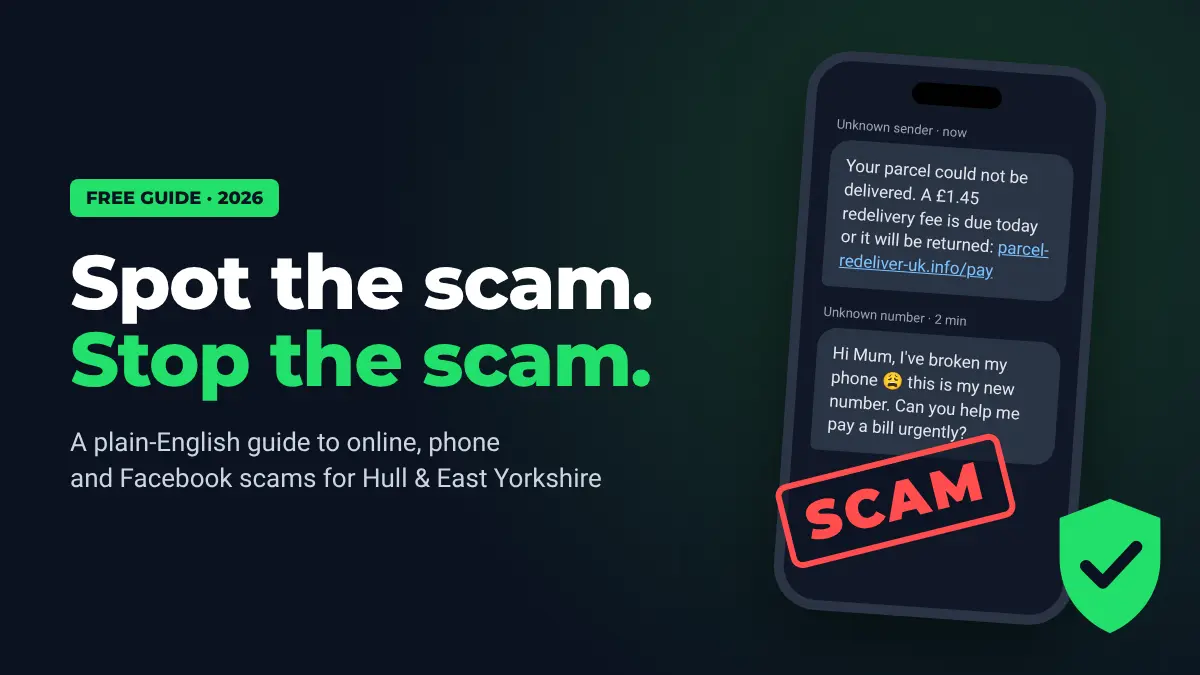
Scammers don't need to be computer geniuses. They just need you to be in a hurry. A text about a parcel, a phone call "from your bank", a pop-up saying your computer is infected, or a too-good-to-be-true deal on Facebook can all end with money gone or your accounts taken over.
This guide explains, in plain English, how today's scams work, the warning signs to look for, and exactly what to do if you think you've been caught out. Please share it with parents, grandparents and anyone who's less confident online.
The 60-second version
- Stop. Anything that rushes or frightens you is a warning sign.
- Never click links, call numbers or install apps that come from an unexpected message, pop-up or caller.
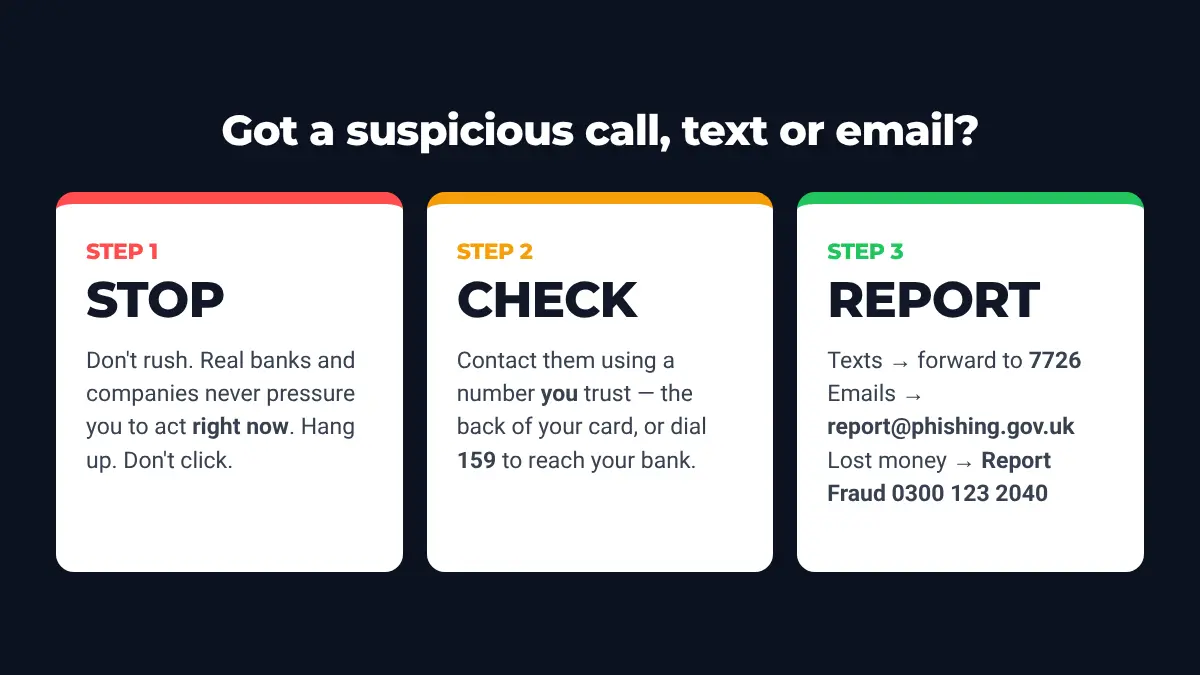
- Check using a number you already trust: the back of your bank card, or dial 159 to reach your bank.
- Never share passwords, PINs or one-time codes. No genuine company will ask for them.
- Report: texts to 7726, emails to report@phishing.gov.uk, losses to Report Fraud (0300 123 2040).
How big is the problem?
It's bigger than most people think. UK Finance's Annual Fraud Report 2026 found that criminals stole £1.28 billion through payment fraud in 2025, a 4% rise on the year before. Confirmed fraud cases rose 11% to a record 4.06 million, which is nearly eight cases every minute.
The fastest-growing type is where people are tricked into sending the money themselves. This is called authorised push payment (APP) fraud. Losses from it rose 19% to £576.4 million, and 66% of these cases started online. Scams that take deposits for goods or holiday rentals that don't exist ("advance fee" fraud) jumped 65% to £58.4 million.
The red flags every scam shares
Scams come in hundreds of different forms, but nearly all of them use the same few tricks. If you see any of these, stop and check:
- Urgency: "within 24 hours", "today only", "your account will be closed".
- Fear or excitement: a fine, an arrest, a virus, a refund, a prize, a bargain.
- Contact out of the blue: a call, text, email or message you weren't expecting.
- Secrecy: "don't tell your bank", "don't tell anyone, this is confidential".
- Unusual payment: bank transfer to a "safe account", gift cards, cryptocurrency, or "friends and family" payments.
- Asking for codes: passwords, PINs, or the one-time code your bank just texted you.
- Remote access: asking you to install AnyDesk, TeamViewer, UltraViewer or similar so they can "fix" something.
Fake emails and texts (phishing)
"Phishing" means messages pretending to be from a company you trust: your bank, a delivery firm, HMRC, the TV Licence, Amazon, PayPal, Netflix, your energy supplier. They want you to click a link to a fake website and type in your login or card details.
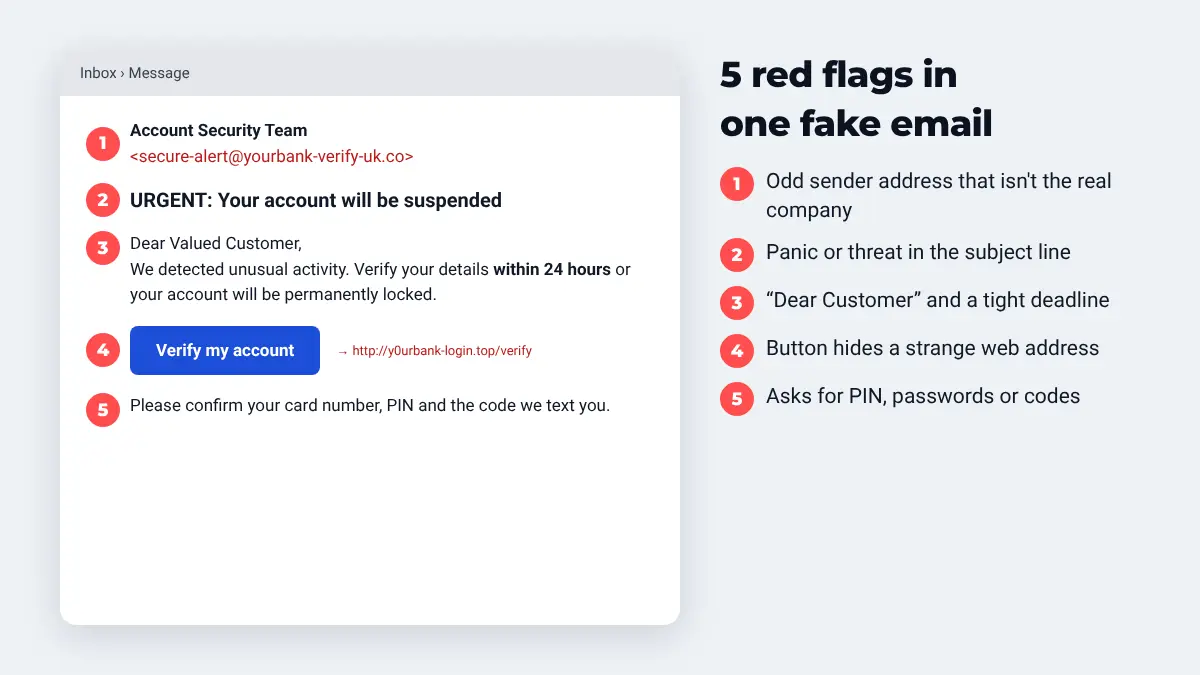
How to check a suspicious email or text
- Look at the sender address, not just the name. "Account Security Team" can be typed by anyone. Look at what comes after the @.
- Hover over (or long-press) the link without clicking to see where it really goes. Scam sites often use spellings like
y0urbank-login.toporparcel-redeliver-uk.info. - Is it addressed to "Dear Customer"? Real companies usually use your name.
- Don't trust the logo. Logos and branding are easy to copy.
- If in doubt, go direct. Open the company's app, or type their web address yourself.
Common versions right now include missed parcel "redelivery fees", unpaid road tolls or parking fines, tax refunds, "your subscription has expired", and "suspicious login on your account".
Fake "virus" pop-ups and tech support calls
This is one of the most common scams aimed at computer users, and it's frightening when it happens. Either:
- your web browser suddenly fills the screen with a loud warning saying your computer is "blocked" or "infected", with a phone number to call, or
- someone phones claiming to be from Microsoft, BT, your broadband provider or "Windows support", saying your computer is sending out errors.
Either way, they want you to let them connect to your computer. Once they're in, they may "find" fake problems, charge you for a useless fix, install software to spy on you, or open your online banking while you're distracted.
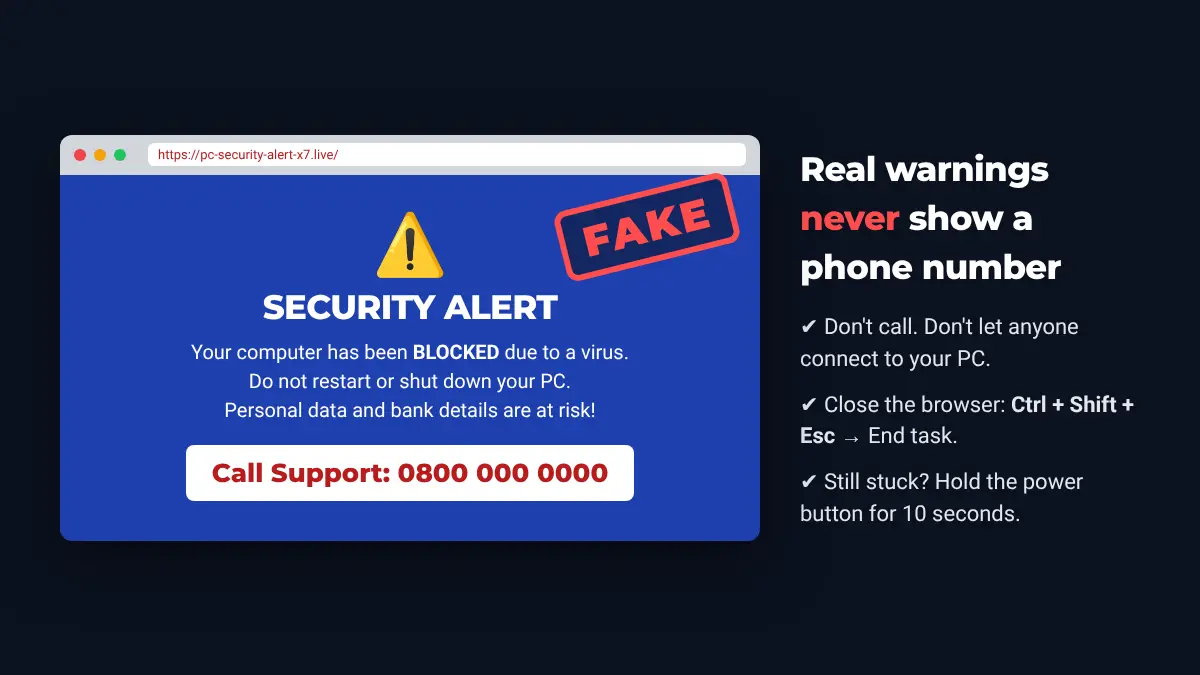
If a scary pop-up appears
- Don't call the number and don't click anything on the page.
- Close the browser: press Ctrl + Shift + Esc to open Task Manager, select your browser (Chrome, Edge, Firefox) and click End task. On a Mac, press Cmd + Option + Esc and choose Force Quit.
- If the screen is completely frozen, hold the power button for 10 seconds to switch off, then switch on again.
- When you reopen the browser, don't restore the previous tabs.
For more on cold callers, see our guide to spotting scam calls in Hull. A pop-up on its own usually hasn't infected anything. It's just a web page designed to scare you. The danger starts if you call the number or let someone connect.
Bank impersonation and "safe account" scams
A caller says they're from your bank's fraud team, or even the police. They might already know your name, address and the last few digits of your card. The number on your screen may even look like your bank's real number, because caller ID can be faked. They tell you your account is "under attack" and you must move your money to a "safe account" right now.
There is no such thing as a safe account. Your bank will never ask you to move money to protect it. Nor will it ask for your PIN or full password, or ask you to read out a one-time code.
If you're not sure, hang up and dial 159. This connects you safely to your own bank. Or call the number on the back of your card. If you can, use a different phone, because scammers sometimes keep the line open after you hang up.
"Hi Mum" WhatsApp scams
A message arrives from an unknown number: "Hi Mum, I've dropped my phone down the toilet, this is my new number." After some friendly chat, "your son or daughter" needs money urgently for a bill they can't pay from their "new phone".
How to beat it: call your child on their old, known number, or ask a question only they would know. Never send money to a new account because of a text alone.
Facebook and social media scams
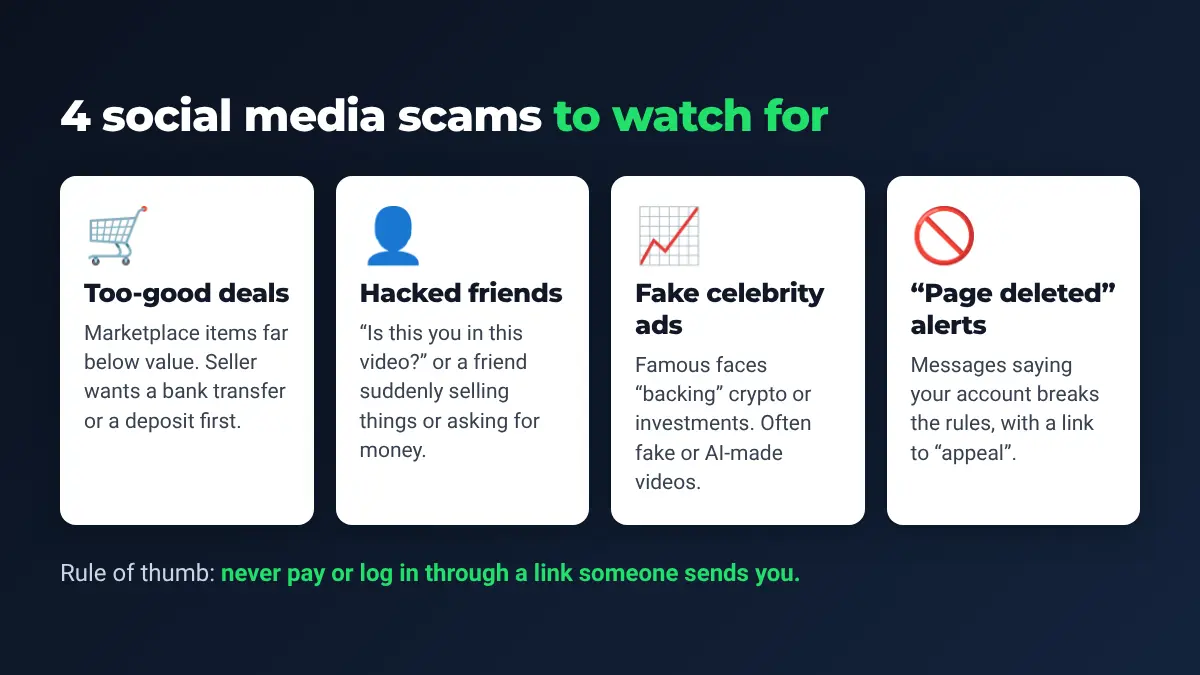
Facebook, Instagram and WhatsApp are where a lot of scams now start. Here are the main ones to watch for:
1. Marketplace and buying scams
Items listed well below their real value (phones, consoles, cars, puppies, caravans, holiday lets). The "seller" can't meet in person and wants a bank transfer or a deposit first. Then the item never turns up.
- See it in person and pay when you collect it, or use a payment method with buyer protection.
- Be very wary of "it's at my parents' house, I'll courier it once you've paid".
- Check the seller's profile. Brand-new accounts with no friends or history are a warning sign.
2. Selling scams
If you're the seller, watch out for buyers who send a link to "receive your payment" or ask for a code sent to your phone. That code is often what lets them take over your WhatsApp or Facebook account.
3. Hacked friends' accounts
A message from a friend says "Is this you in this video?" with a link, or "I'm stuck abroad, can you lend me money?" Their account has been taken over. Contact the friend another way before you click or pay anything.
4. Fake adverts and celebrity endorsements
Adverts showing famous faces "backing" an investment, crypto platform or miracle product are a classic scam. Some use fake, AI-generated video. Some scam adverts even show Facebook's checking system a harmless page while sending real visitors somewhere else.
5. "Your page will be deleted" messages
If you run a page or business account, you may get messages, comments or emails saying your page "violates Community Standards" and will be removed unless you "appeal" through a link. These are fake and aim to steal your login. Real messages from Meta only come from facebook.com, business.facebook.com or meta.com. Instead of clicking the link, log in to Facebook yourself and check your account status there.
6. Fake giveaways and competitions
Copycat pages of real local businesses or big brands that ask you to "like, share and enter your card details to pay for postage" on a free prize.
How to protect your computer and phone
Most scams depend on fooling a person rather than breaking into a computer. But these simple steps close the doors that criminals use most:
| Step | Why it matters |
|---|---|
| Turn on automatic updates for Windows, macOS, phones, browsers and apps | Updates fix the security holes that criminals use. |
| Use two-step verification (2SV/2FA) on email, banking, Facebook and WhatsApp | Even if someone steals your password, they still can't get in. |
| Use a different password for your email, and use a password manager | Your email can reset every other account, so it's the most valuable one to protect. |
| Keep the built-in protection switched on (Microsoft Defender on Windows) | Blocks most known malware and scam websites for free. |
| Back up your photos and documents | If the worst happens, you won't lose what matters. |
| Only download software from the official website or app store | "Free" downloads from adverts often come with unwanted extras. |
| Set a WhatsApp PIN (Settings → Account → Two-step verification) | Stops scammers taking over your WhatsApp with a stolen code. |
Older computers that no longer get security updates are a real risk for online banking. If you're not sure whether yours is still supported, we're happy to check it for you.
Protecting older relatives
Scammers often target older people, who may be more trusting on the phone and less familiar with pop-ups and fake websites. A few small things make a big difference:
- Talk about scams openly, so nobody feels embarrassed to say "I'm not sure about this".
- Agree a simple family rule: "Never pay or let anyone on the computer without ringing me first."
- Stick the report numbers on the fridge or next to the phone.
- Set up call blocking on the landline. Most providers offer it free.
- Make sure their computer and phone are updated and protected.
- Agree a family "password" to prove it's really you on the phone.
We offer patient, one-to-one help and lessons at home for older people and anyone less confident with technology, including setting up these protections and showing them how to spot fake messages.
What to do if you've been scammed
Don't be embarrassed. Scams are designed by professionals to fool careful people. Acting quickly gives you the best chance of stopping payments and protecting your accounts.
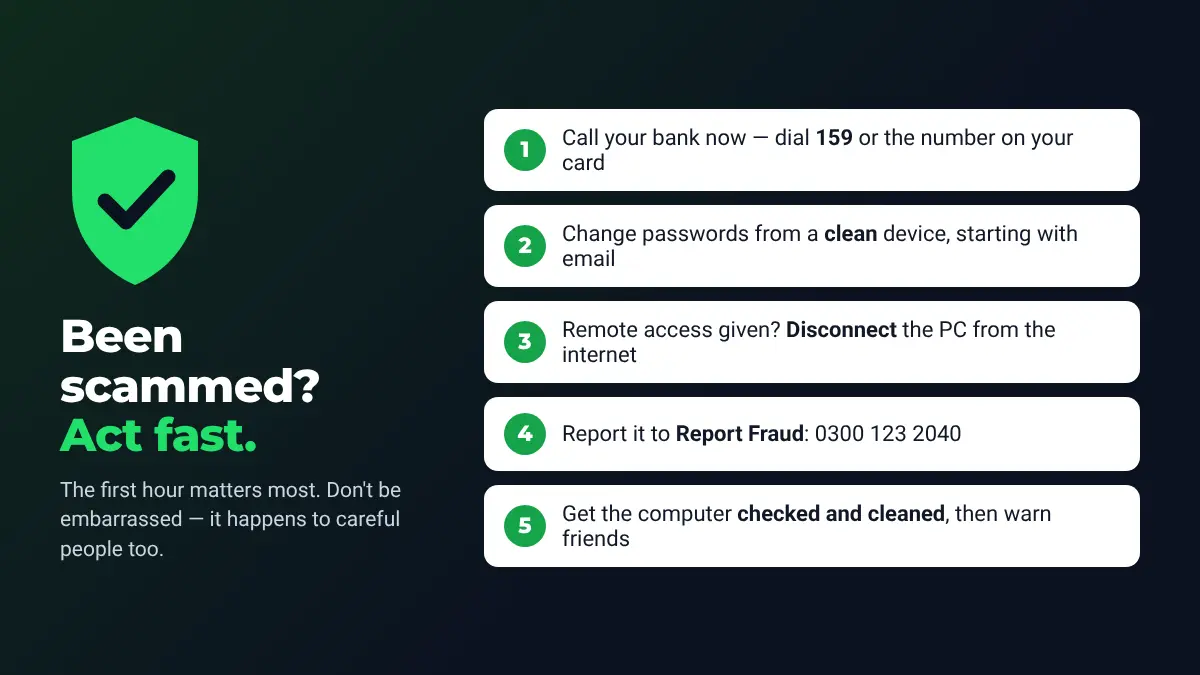
- Call your bank immediately: dial 159 or the number on your card. They may be able to stop or recover a payment. Since 7 October 2024, UK banks have had to refund most victims of bank transfer scams, up to £85,000 per claim (claims must be made within 13 months), so always ask.
- Change your passwords using a different, clean device. Start with your email, then banking, Facebook, Amazon and anything else that uses the same password.
- If you let someone onto your computer: unplug the network cable or turn off Wi-Fi, and don't use that computer for banking until it's been checked. Remote-access tools and other unwanted software can be left behind.
- Report it to Report Fraud (details below). You'll get a crime reference number, which your bank may ask for.
- Warn your contacts (see what to do if your email is hacked) if your email, WhatsApp or Facebook was taken over, so they don't fall for messages "from you".
- Watch your bank statements closely for the next few months, and be extra careful of follow-up "recovery" scams. These are people who contact you offering to get your money back for a fee.
Worried a scammer has been on your computer?
We'll check it, remove any remote-access software, viruses and malware (virus removal), secure your accounts and recover hacked email. We'll also explain what happened in plain English. Diagnosis is free, and we offer home visits and evening appointments, with free collection within 5 miles of North Cave.
Call 01430 421014 Mobile 07927 915560ITS4UK · 27 Newport Road, North Cave, HU15 2NU · Serving Hull, Beverley, Brough, Cottingham, Willerby and East Yorkshire · 16+ years · ★ 5.0 on Google
Where to report a scam in the UK
| What happened | Where to report it |
|---|---|
| Scam text message | Forward it free to 7726 (it spells SPAM on the keypad) |
| Scam phone call | Text 7726 with the word "Call" followed by the caller's number |
| Scam email | Forward it to report@phishing.gov.uk |
| Call claiming to be your bank | Hang up and dial 159, or the number on your card |
| Lost money or gave details (England, Wales, NI) | Report Fraud: reportfraud.police.uk or 0300 123 2040 |
| Lost money or gave details (Scotland) | Police Scotland on 101 |
| WhatsApp, Facebook or Instagram scam | Use the app's own Report and Block options |
| Fake Microsoft support | microsoft.com/reportascam |
| In danger, or a crime in progress | 999 |
Frequently asked questions
How can I tell if a message is a scam?
Look for pressure to act immediately, a threat or a prize, a link you weren't expecting, a sender that doesn't match the real company, and any request for passwords, PINs, codes, gift cards or a bank transfer. If in doubt, contact the company using a number you already trust.
Does Microsoft phone people about viruses on their computer?
No. Microsoft says it doesn't make unsolicited calls to fix computers, and its real warnings never include a phone number. Hang up, and never let a cold caller connect to your PC.
What is 159?
159 is a UK phone number that connects you safely to your own bank. Use it if you're unsure whether a call "from your bank" is real. Hang up first, then dial 159.
Where do I report a scam text or email?
Forward texts free to 7726 and emails to report@phishing.gov.uk. If you've lost money, contact your bank and Report Fraud on 0300 123 2040.
Is Action Fraud still running?
No. It was replaced by Report Fraud, run by City of London Police, on 4 December 2025. The number 0300 123 2040 is unchanged.
I let a scammer onto my computer. What should I do?
Disconnect it from the internet, call your bank, change your passwords from a different device, and report it. Then get the computer checked so any remote-access software or malware is removed. We can help with this.
I clicked a link but didn't type anything. Am I OK?
Usually the risk is low if you didn't enter any details or download anything. Close the page, make sure your computer is up to date and run a scan with Microsoft Defender. If you did type a password, change it straight away. If you entered card details, call your bank.
Sources
- UK Finance – Annual Fraud Report 2026 press release
- Payment Expert – UK Finance Fraud Report 2026 summary
- Report Fraud (City of London Police) – Report Fraud service goes live
- Bank of England – Scams, impersonation and fake videos
- Ofcom – What to do about a scam call, text or message
- Stop! Think Fraud (UK Government) – Reporting fraud
- Payment Systems Regulator – APP fraud reimbursement protections
- NapoleonCat – Meta Business Suite message scam
- CyberGuy – When clicks turn into scams on Facebook ads
- Microsoft – Protect yourself from tech support scams
- Age UK – Avoiding scams (PDF)
How I can help
Need a hand with this?
Free advice over the phone. Mon–Fri 10–6, Sat 10–2, early drop-off and evenings by arrangement.